Vector PC-Duo Technické informace Strana 39: Licensing
 1
 2
 3
 4
 5
 6
 7
 8
 9
 10
 11
 12
 13
 14
 15
 16
 17
 18
 19
 20
 21
 22
 23
 24
 25
 26
 27
 28
 29
 30
 31
 32
 33
 34
 35
 36
 37
 38
 39
 40
 41
 42
 43
 44
 45
 46
 47
 48
 49
 50
 51
 52
 53
 54
 55
 56
 57
 58
 59
 60
 61
 62
 63
 64
 65
 66
 67
 68
 69
 70
 71
 72
 73
 74
 75
 76
 77
 78
 79
 80
 81
 82
 83
 84
 85
 86
 87
 88
 89
 90
 91
 92
 93
 94
 95
 96
 97
 98
 99
 100
 101
 102
 103
 104
 105
 106
 107
 108
 109
 110
 111
 112
 113
 114
 115
 116
 117
 118
 119
 120
 121
 122
 123
 124
 125
 126
 127
 128
 129
 130
 131
 132
 133
 134
 135
 136
 137
 138
 139
 140
 141
 142
 143
 144
 145
 146
 147
 148
 149
 150
 151
 152
 153
 154
 155
 156
 157
 158
 159
 160
 161
 162
 163
 164
 165
 166
 167
 168
 169
 170
 171
 172
 173
 174
 175
 176
 177
 178
 179
 180
 181
 182
 183
 184
 185
 186
 187
 188
 189
 190
 191
 192
 193
 194
 195
 196
 197
 198
 199
 200
 201
 202
 203
 204
 205
 206
 207
 208
 209
 210
 211
 212
 213
 214
 215
 216
 217
 218
 219
 220
 221
 222
 223
 224
 225
 226
 227
 228
 229
 230
 231
 232
 233
 234
 235
 236
 237
 238
 239
 240
 241
 242
 243
 244
 245
 246
 247
 248
 249
 250

Master Installation
39
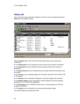
Licensing
If you download this software on a 30-day trial basis and want to continue using the
product, you may purchase it by contacting a preferred reseller, or by contacting us
directly. Your purchase provides an appropriate license key to use with the Master.
The software does not have to be reinstalled after you purchase it. The product package
contains a license key that you can add to your existing installation. This key converts
your 30-day trial software directly to an unlimited version.
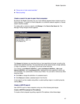
Add a license key before your trial period expires
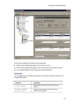
To add a license key before your 30-day trial expires, follow these steps:
1
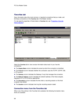
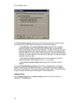
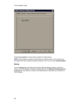
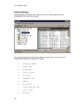
Start the Master from the Windows Start menu.
2
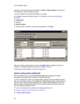
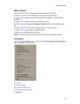
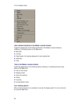
Select
Help > About the Master
from the Master window.
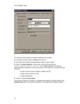
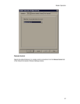
3
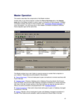
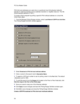
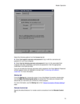
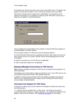
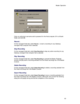
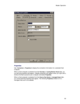
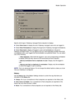
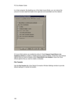
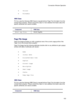
When the About the Master window appears, click
Add License
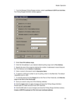
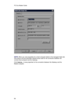
. The Add License Key
window appears.
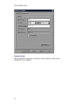
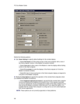
4
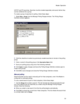
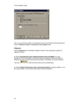
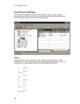
Enter the license key, and click
OK
.
Your license is activated immediately. The Master does not need to be restarted.
NOTE:
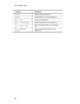
If you are upgrading, then you will see both the original product license and the
upgrade license in the About the Master window.
Add a license key after your trial period expires
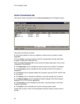
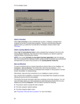
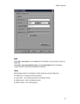
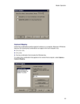
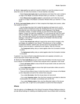
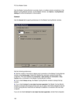
If you attempt to run the Master after your trial period has expired, an expiration message
appears. Within the message, click
Add License
and enter your new license key.
Your license is activated immediately. The Master does not need to be restarted.
Soubor PDF · ·
Otázky k Vector PC-Duo
K tomuto návodu zatím nejsou žádné otázky. Položte první.